How to turn off call forwarding
Dial your phone company’s off code on the phone that’s forwarding, or switch it off where you switched it on. Then call your number from another phone to check.
Checked October 21, 2026 against each company’s own pages
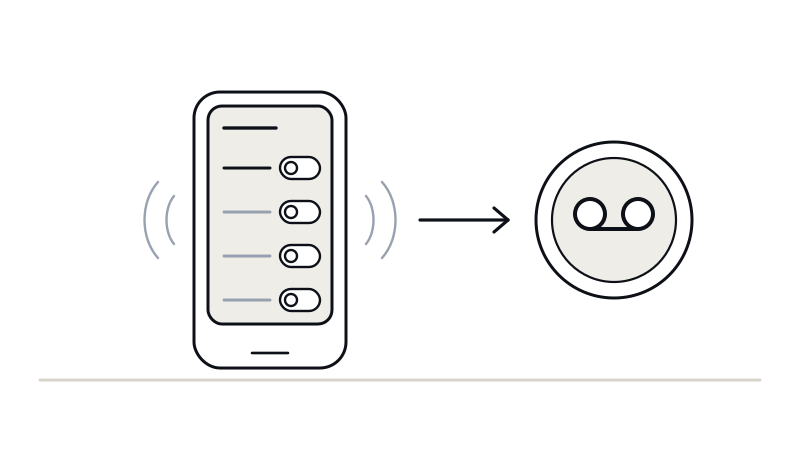
Dial this on the phone that’s forwarding
Verizon, Spectrum Mobile or Xfinity Mobile
*73It turns off *71 and *72. On Verizon, the tone can sound like a busy signal. That’s normal.
T-Mobile or Metro
##004#T-Mobile: “Resets call forwarding to default.” Phone doesn’t ring at all? Dial ##21# too.
AT&T or Cricket
##61#then ##67#One for missed calls, then one for busy calls. Phone doesn’t ring at all? Dial ##21# too.
An iPhone’s Call Forwarding setting
Turn Call Forwarding off again in the same place. On an older iPhone, Phone is straight under Settings, without Apps.
Wait for the tone or message, then hang up.
Every phone, one by one
Find yours. Each one links to its own guide, with the steps to turn it back on.
Cell phones
Verizon
Verizon guide*73missed, busy and every call
T-Mobile and Metro
T-Mobile guide##004#all of them, back to the default##61#missed##67#busy##62#can’t be reached##21#every call
AT&T and Cricket
AT&T guide##61#missed##67#busy##62#can’t be reached##21#every call
AT&T publishes no codes: these are the GSM standard’s, so check it’s off with a call from another phone.
Spectrum Mobile
Spectrum guide*73missed
Xfinity Mobile
Xfinity or Comcast guide*73missed and every call
Business and home phones
Spectrum Business
Spectrum guide*93missed*91busy*73every call
Comcast Business
Xfinity or Comcast guide*93missed*91busy*95can’t be reached*73every call
Xfinity home phone
Xfinity or Comcast guide*73every call
Or use the Voice settings on xfinity.com. If Xfinity switched on forwarding for missed calls for you, ask them to switch it off.
Spectrum home phone
Spectrum guideCall Spectrum and ask them to turn call forward no answer off.
A landline
Landline guideCall the phone company and ask them to turn it off.
A phone’s own settings, and phone apps
iPhone
iPhone guideTurn Call Forwarding off again in the same place.
Samsung Galaxy
Samsung Galaxy guideOpen the same screen, tap Forward when unanswered, then tap Disable.
A phone app or office phone system
Set missed calls back to voicemail, in the same setting you used. Each app’s guide shows where:
Check it’s off
Call your number from another phone
Use a phone that isn’t on the same line.
Let it ring
Your phone should ring. If you don’t pick up, your own voicemail should answer.
Still forwarding?
- Dial the code on the phone that’s forwarding. Verizon and AT&T only let you change forwarding from the phone itself.
- On T-Mobile and AT&T, each kind has its own off code: turn off each one you set, or dial
##004#on T-Mobile. - Forwarding set in a phone app, like RingCentral or Google Voice, only changes in that app. Turn it off there.
- Still on? Call your phone company: 611 from most cell phones.
Voicemail stopped answering?
- On T-Mobile or Metro, dial
##004#. T-Mobile’s own words for it: “Resets call forwarding to default.” - With another phone company, call them and ask them to send the calls you don’t answer to your voicemail again.
Turning it on instead? The conditional call forwarding codes are on one page, for each phone company.
Common questions
How do I know if call forwarding is on?
Call your number from another phone. If your phone doesn’t ring at all, every call is being forwarded. If it rings and then goes somewhere other than your voicemail, the calls you miss are. On an iPhone, look in Settings › Apps › Phone › Call Forwarding. On a Comcast Business line, *61*, *67* and *21* tell you whether each kind is on.
Can I turn off call forwarding from another phone, or online?
Not on Verizon or AT&T: both say you can only change forwarding from the phone itself. On Spectrum Mobile, the account holder can also change it in the My Spectrum app. An Xfinity home phone can be changed in the Voice settings on xfinity.com, and a phone app in the app’s own settings.
What does ##002# do?
It’s the GSM standard’s code for clearing every kind of call forwarding at once. Neither AT&T nor T-Mobile lists it among its own codes, and it can clear more than you meant to, so use the off codes on this page. On T-Mobile, its own ##004# resets forwarding to default.
Sources: Verizon’s call forwarding FAQ, checked October 21, 2026; Verizon’s guide to *71 and *72, checked October 20, 2026; T-Mobile’s self-service codes, checked October 21, 2026; AT&T’s call forwarding help, checked October 21, 2026; The GSM standard’s codes (3GPP TS 22.030), checked October 21, 2026; Spectrum Business Voice feature access codes (PDF), checked October 21, 2026; Spectrum Business call forwarding codes, checked October 20, 2026; Comcast Business VoiceEdge star codes (PDF), checked October 21, 2026; Spectrum Mobile call forwarding, checked October 20, 2026; Xfinity Mobile call forwarding, checked October 21, 2026; Xfinity Voice quick reference guide, checked October 21, 2026; Apple’s iPhone User Guide: Set up call forwarding, checked October 20, 2026; Samsung’s guide to calling features, checked October 20, 2026. Help pages change; a call to your number from another phone shows what your line does today.
Want Wakeman to answer the calls you miss?
Hear it answer as your business first, with no account needed. Once you sign up, your Forwarding page shows the steps for your phone with your Wakeman number already in them.
Already using Wakeman? Open your forwarding page. Plans and what each one answers are on the pricing page. More free tools.